
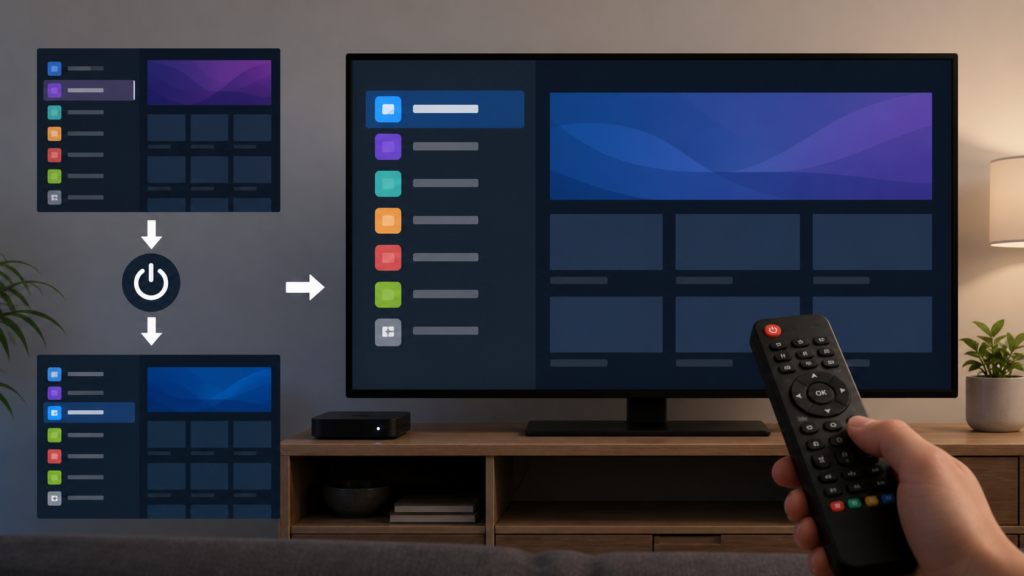
Quick answer: If an IPTV player opens in the wrong category after a restart, record the category used before closing, reopen the player once, and compare the full list, favorites, and guide views. Check whether the player documents a last-view or startup preference. Do not delete local data or repeatedly change sorting until the original behavior is clear.
IPTV Player Does Not Remember Selected Category After Restart: Safe Checks
A player may reopen at a default category rather than the category used before shutdown. This can be normal design, a local preference, a list refresh, or a state that was not saved because the application closed unexpectedly. The safest diagnosis compares one controlled close and restart with the same category and records what changes.
Describe the startup result
Note the category selected before closing, the screen used to close the player, and the category shown after reopening. State whether the channel list order also changed. If favorites remain correct while the startup category resets, that is different from losing all local data.
Do not rapidly close and reopen the application. A player may still be saving state while it exits. Use the normal close or Back path and wait for the home screen.
Step 1: Record the original category
Choose one documented category and select one channel or row. Wait for the player to respond, then return to the list and confirm the category. Record whether it is a full list, guide group, or favorites view.
Close the player normally once. Reopen it and record the first view. This creates a baseline without changing settings.
Step 2: Compare player views
Test whether the reset affects the full list, guide, favorites, or a custom group. Different views may have separate memory rules. Use one view at a time and restore the original selection after the comparison.
Check documented startup, last-view, or default-category settings. If the control does not exist, do not promise that the player can remember the previous category. A default view may be intentional.
Step 3: Check sorting and list refresh
Review sorting and category filters. A refresh can rebuild the list and place the player at its first available group. Record the original sort mode before changing it.
Run one documented list refresh only if necessary. Wait for completion, reopen the same view, and compare. Avoid reloading the source repeatedly because that can alter local state and obscure the first result.
Step 4: Check normal restart behavior
Use the platform’s normal restart option for the device, then open the same player once. If the category resets after a full restart but not after closing the player, record that boundary. If it resets in both cases, report the common behavior.
Check whether the device has limited storage or aggressively closes background applications through documented settings. Do not claim that storage caused the reset without a comparison.
Step 5: Review versions and local data
Record the device, player, and system versions. Use official update paths, then repeat the same category test. If the player documents a cache-clear option, understand what preferences it removes before using it.
A reset may remove favorites, filters, setup information, or saved output settings. Preserve the original behavior first and change one variable at a time.
Step 6: Compare another supported setup
When practical, compare another supported player or device with the same approved setup. Keep the category, view, and close sequence similar. A different result may identify an application-specific memory rule, but it is not proof that one player is universally better.
Checklist
- Record the category before closing.
- Note the exact close path.
- Reopen once and record the startup view.
- Compare list, guide, and favorites separately.
- Check documented default-view controls.
- Record sorting and filter settings.
- Run one documented refresh if needed.
- Restart the device normally.
- Record software versions.
- Keep credentials private.
When to request help
Review the IPTV service page, the IPTV setup guidance, and the services page. Contact the official Telegram support channel with device, player, category, close path, startup view, sorting state, and restart result. Never send passwords, tokens, or private URLs.
FAQ
Why does the player open in a default category?
The player may not support last-view memory or may rebuild the list on startup. Check documented settings and record the behavior.
Does a reset mean my favorites are lost?
Not necessarily. Compare favorites separately before clearing local data.
Should I reload the source list?
Not first. Record the startup behavior and use one documented refresh only when needed.
What should support receive?
Share device, player, category, close path, startup view, and version details. Keep credentials private.
Conclusion
An IPTV player that forgets its selected category after restart should be isolated across close behavior, view type, default settings, sorting, refresh, storage, software, and supported-device comparison. Use one controlled test at a time. Start with the TVMemberLink home page.
Before requesting help, describe one repeatable sequence from opening the player to reopening it. Include the category, view, close method, startup category, and whether favorites remained intact. Keep usernames, passwords, private links, and activation details confidential. Do not alter several settings at once; record each change before testing again.
Before requesting help, describe one repeatable sequence from opening the player to reopening it. Include the category, view, close method, startup category, and whether favorites remained intact. Keep usernames, passwords, private links, and activation details confidential. Do not alter several settings at once; record each change before testing again.
Before requesting help, describe one repeatable sequence from opening the player to reopening it. Include the category, view, close method, startup category, and whether favorites remained intact. Keep usernames, passwords, private links, and activation details confidential. Do not alter several settings at once; record each change before testing again.
Also note whether the player saves the selected category when it is closed from playback, from the list, or from the home screen. These close paths may not be equivalent. If the player returns to a default group consistently, describe that behavior rather than promising a missing preference. Use documented favorites or pinned groups only when their effect is clear.
Keep a short change log for sorting, filters, refreshes, and updates. If the category resets after one specific action, that sequence is more useful than a general statement that the player forgets settings. Do not publish account identifiers while requesting assistance.
Before requesting help, describe one repeatable sequence from opening the player to reopening it. Include the category, view, close method, startup category, and whether favorites remained intact. Keep usernames, passwords, private links, and activation details confidential. Do not alter several settings at once; record each change before testing again.
Also note whether the player saves the selected category when it is closed from playback, from the list, or from the home screen. These close paths may not be equivalent. If the player returns to a default group consistently, describe that behavior rather than promising a missing preference. Use documented favorites or pinned groups only when their effect is clear.
Keep a short change log for sorting, filters, refreshes, and updates. If the category resets after one specific action, that sequence is more useful than a general statement that the player forgets settings. Do not publish account identifiers while requesting assistance.
For the final comparison, use the same category and view after reopening. Note whether favorites remain intact, whether sorting remains unchanged, and whether only the startup focus resets. This makes the report specific without exposing account data or private service links.
