
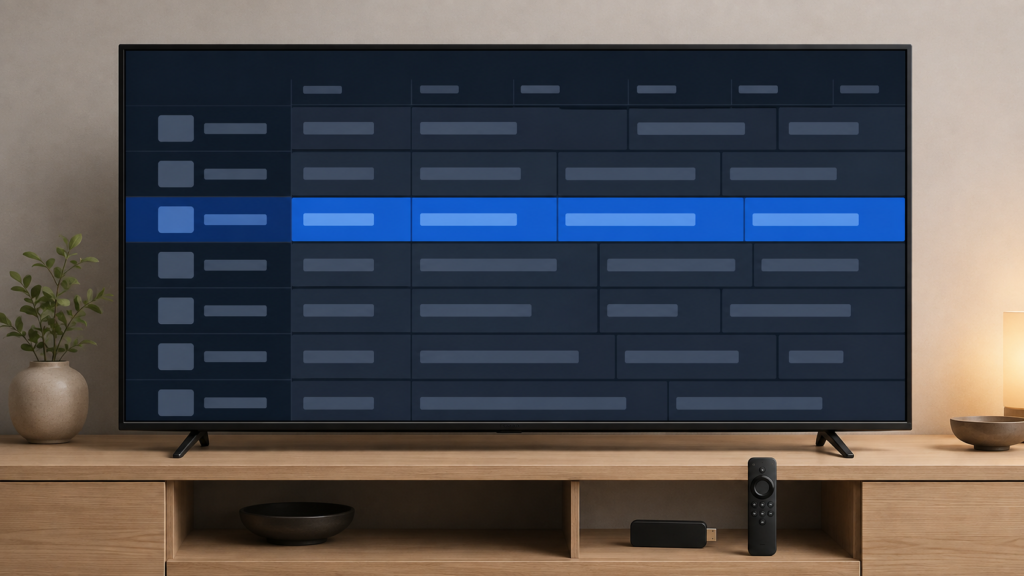
Quick answer: If the EPG row highlight does not move on a Firestick, test directional navigation on the Fire TV home screen and another application, then confirm the guide has focus and is not still loading. Compare one guide view and one row. Avoid repeated key presses, re-pairing, or clearing app data before recording the exact screen.
IPTV EPG Row Highlight Not Moving on Firestick: Safe Checks
An EPG may have separate focus areas for categories, dates, channel rows, and program details. If the highlight appears stuck, the remote may be controlling another area, the guide may still be loading, or the player may have a view-specific state. This guide creates a safe boundary using observable tests and does not assume a provider-wide problem.
Describe the focus symptom
Note whether the highlight is visible but fixed, invisible, delayed, or replaced by a loading indicator. Record whether Back and Home work, and whether the same remote moves through Fire TV menus. A guide-only focus issue is different from system-wide navigation failure.
Press one directional key and wait. Rapid commands can queue and make the highlight move after the user stops pressing. Keep account details out of screenshots.
Step 1: Test Fire TV navigation
Leave the player and navigate the Fire TV home screen. Open one ordinary application and move through a menu. If the remote fails everywhere, check batteries and documented pairing. If it works outside the IPTV player, concentrate on guide focus and loading.
Do not unpair the remote as a first response. Record the result before changing pairing.
Step 2: Confirm guide focus
Open the EPG and look for focus borders on the category, date, or row. Use directional keys to move from the active area into the channel rows if the player documents that navigation. Test one row and wait for the highlight.
If the category focus moves but the row focus does not, record that distinction. If no guide element responds, check whether the view is loading.
Step 3: Wait for the guide
Watch for changing row counts, delayed labels, or a progress indicator. A dense guide can take time to populate. Wait for the normal completion before testing again.
Compare one neighboring category only after the first result is recorded. Avoid rapidly changing categories or dates.
Step 4: Compare one guide view
If the player documents list, grid, compact, or timeline views, test one alternative view. Different layouts may use different focus rules. Record which view responds and restore the original view after comparison.
Do not change date, category, sorting, and view together. One variable produces a clearer result.
Step 5: Restart and update safely
Exit the player normally, return to Fire TV home, and reopen it once. Test the same guide view and row. If focus returns after reopening, record that result.
Record Firestick model, Fire TV version, and player version. Use official updates only and repeat the same focus test after updating. Avoid factory resets.
Step 6: Consider local state
If the player documents a cache-clear or reset option, understand its effect before using it. It may remove favorites, filters, and setup choices. Preserve the original focus behavior first.
Checklist
- Describe the stuck highlight.
- Test Fire TV navigation.
- Check batteries and pairing safely.
- Confirm guide focus area.
- Press once and wait.
- Check loading indicators.
- Compare one guide view.
- Restart normally once.
- Record versions.
- Keep private data redacted.
When to request help
Review the Firestick setup guidance, IPTV service page, and services page. Use the official Telegram support channel with model, view, focus area, loading result, and versions. Never send passwords or private URLs.
FAQ
Why does the highlight move outside IPTV?
The guide may have a different focus area or still be loading. Compare one row after waiting.
Should I press keys repeatedly?
No. Use one key and wait to avoid queued input.
Should I re-pair immediately?
Not first. Test system navigation and record the guide-only behavior.
What should support receive?
Share model, view, focus area, loading state, and versions. Keep credentials private.
Conclusion
An IPTV EPG row highlight problem on Firestick should be isolated across remote navigation, focus areas, loading, views, local state, and software. Use one controlled test at a time. Start with the TVMemberLink home page.
For a clear support report, note the Firestick model, guide view, focus area, loading indicator, and whether directional keys work outside the player. Press one key and wait. Keep the original pairing state unchanged until the guide-only behavior is recorded.
After one normal restart, repeat the same row test. Avoid repeated key presses and unverified app changes because they can hide the original focus boundary.
For a clear support report, note the Firestick model, guide view, focus area, loading indicator, and whether directional keys work outside the player. Press one key and wait. Keep the original pairing state unchanged until the guide-only behavior is recorded.
After one normal restart, repeat the same row test. Avoid repeated key presses and unverified app changes because they can hide the original focus boundary.
If the highlight moves in Fire TV menus but not in the EPG, the issue may be confined to guide focus or loading. Wait until the guide stops changing, identify the active category or date area, and move into the row using the documented control. Compare one neighboring row without rapidly pressing keys.
If another guide view responds, record the view-specific result. If no view responds, test one other application and note whether the remote remains normal. Do not reset pairing or clear player data until the original focus behavior is recorded.
After a normal restart, repeat the same row test once. A useful report includes Firestick model, player version, guide view, focus area, loading state, and the exact response, with no passwords or private URLs.
For a clear support report, note the Firestick model, guide view, focus area, loading indicator, and whether directional keys work outside the player. Press one key and wait. Keep the original pairing state unchanged until the guide-only behavior is recorded.
After one normal restart, repeat the same row test. Avoid repeated key presses and unverified app changes because they can hide the original focus boundary.
If the highlight moves in Fire TV menus but not in the EPG, the issue may be confined to guide focus or loading. Wait until the guide stops changing, identify the active category or date area, and move into the row using the documented control. Compare one neighboring row without rapidly pressing keys.
If another guide view responds, record the view-specific result. If no view responds, test one other application and note whether the remote remains normal. Do not reset pairing or clear player data until the original focus behavior is recorded.
After a normal restart, repeat the same row test once. A useful report includes Firestick model, player version, guide view, focus area, loading state, and the exact response, with no passwords or private URLs.
Keep a before-and-after note for the row focus and loading state, then stop changing inputs until the result is clear. This helps support identify whether the issue belongs to the remote or the guide.
