
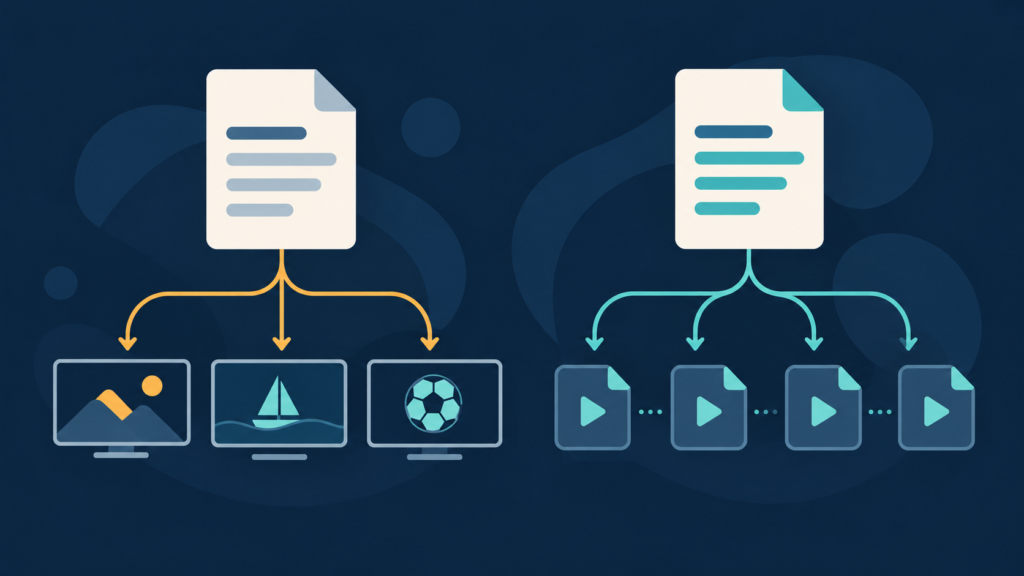
Quick answer: an M3U and an M3U8 filename can both identify text playlist data, so an extension alone does not tell you what a player should do with the file. A typical channel playlist lists channel metadata and a channel URI; an HLS media playlist describes media segments, while an HLS multivariant playlist points to variant playlists. Inspect the content locally, identify the tag pattern, and only then choose an import method. Do not paste a private playlist URL, token, username, or password into a public checker or support message.
Why the M3U and M3U8 names are confusing
M3U is a plain-text playlist convention that many applications use to represent a list of media items. IPTV apps often consume an extended M3U form: a header, one or more metadata lines, and a URI for each entry. The familiar #EXTM3U header and #EXTINF metadata tag can occur in different playlist contexts. Seeing either one does not, by itself, prove that the file is an IPTV channel list or an HLS manifest.
M3U8 is commonly associated with UTF-8 encoded playlists and is widely used by HTTP Live Streaming. HLS uses a playlist to describe a presentation and the resources needed to play it. A media playlist can describe segments in sequence; a multivariant playlist can describe alternative renditions and point to other playlists. The IETF specification defines HLS playlist tags and URI relationships, and Apple publishes device-oriented authoring guidance. These are related text formats, but they describe different jobs.
The useful distinction is therefore semantic, not cosmetic. Ask what each line points to and what tags organize the file. A channel list generally repeats a channel-information line followed by a channel or stream URI. An HLS media playlist commonly contains HLS-specific tags such as #EXT-X-TARGETDURATION, #EXT-X-MEDIA-SEQUENCE, #EXT-X-KEY, #EXT-X-MAP, or #EXT-X-ENDLIST, with URI lines that refer to media segments. An HLS multivariant playlist may contain #EXT-X-STREAM-INF followed by a URI to a variant playlist.
For standards context, compare the IETF RFC 8216 for HLS with Apple’s HLS documentation and examples. The specifications help identify the protocol; they do not certify a third-party playlist as compatible, authorized, reachable, or safe.
Start with a safe, local inspection
Before importing anything, establish what the file actually is without exposing private data. Work from a local copy that you are permitted to inspect. Use a plain-text editor that does not automatically run links or fetch remote content. Avoid opening a URL supplied in a playlist unless you know it is expected and safe: URI lines may point to remote services, and a link can contain personal credentials or a short-lived access token.
- Check the file source and name. Note whether you received a downloaded file, a URL, or a login form asking for separate server, username, and password fields. These are different setup inputs. An extension can be changed accidentally by a download process, so treat the name as a clue rather than proof.
- Inspect the first several lines locally. Look for a header, repeated metadata and URI pairs, or HLS-specific
#EXT-X-tags. Do not share a screenshot unless it has been carefully redacted. - Check a few entries, not the whole account. Determine whether each metadata block is followed by one URI and whether line breaks make the grouping clear. Never copy a full live playlist into a public paste service.
- Keep the original unchanged. Make a duplicate before changing line endings, encoding, or file extension. This gives you a clean comparison if an import fails.
A first-pass local structure check can help identify malformed M3U entry pairs. TVMemberLink’s M3U playlist analyzer is intended for playlist-structure review, and the broader browser-based tools directory lists related utilities. Before using any web tool, read its privacy notes and confirm that processing happens locally in your browser; do not upload a customer list, a full private playlist, or credential-bearing URLs.
Recognize a typical channel-list pattern
A simple extended M3U channel list often has a repeated rhythm: a header, a line containing #EXTINF metadata, and a following URI. Optional attributes may label a channel name, group, logo, or guide identifier. The exact attributes and accepted variants depend on the application and service. This pattern supports browsing a list of entries; it does not prove that each URI is reachable or that playback is authorized.
#EXTM3U
#EXTINF:-1 tvg-id="sample.id" group-title="Sample",Example Channel
https://example.invalid/path
The example is deliberately non-functional. It contains no real service, credentials, or channel source. In a real file, the URI may be a long URL, a local file reference, or another supported resource identifier. A metadata line without a following URI is a structural warning. So is a URI placed before any entry metadata when the target app expects extended M3U pairs. Some applications are forgiving; others skip malformed entries or stop at the first unexpected line.
Do not infer that #EXTINF alone makes a playlist “IPTV format.” HLS media playlists also use #EXTINF to associate durations with media segments. Context matters: repeated channel labels and channel URIs suggest one use; segment durations together with HLS-specific tags suggest another. If a file combines patterns, identify the producer and intended player rather than trying random extensions.
If an Android TV player cannot locate a local playlist, the problem may be file permissions or the picker location rather than the playlist syntax. Follow the separate Android TV local M3U file checks and the general guide to checking an M3U playlist safely. These pages address file access and safe inspection, not authorization or content availability.
Recognize an HLS media or multivariant playlist
HLS adds a family of tags with the #EXT-X- prefix. A media playlist can declare a target duration, sequence numbers, encryption information, initialization sections, discontinuities, or an end marker. Each media segment is referenced by a URI. A multivariant playlist can declare stream attributes such as bandwidth and codecs and then point to variant playlists. The details depend on the HLS version and the actual media package.
One practical check is to search locally for #EXT-X- lines, then inspect the neighboring lines and URI targets without fetching them. A lone #EXT-X-VERSION tag is evidence of HLS intent, but a truncated file may omit required context. A line ending in .ts can be a segment hint, not a complete validation. Likewise, a URI ending in .m3u8 may reference another playlist rather than a video segment.
Never “repair” a manifest by deleting tags just because an IPTV channel-list importer rejects it. An HLS player needs its manifest semantics to locate and sequence media resources. Removing tags can break duration, encryption, variant selection, or initialization information. Conversely, feeding a multi-segment HLS manifest to a channel-list feature may produce a blank item or one confusing entry because the feature expects channel metadata rather than a media presentation.
For an HLS-specific check, use a validator built for HLS and follow the official protocol documentation. The TVMemberLink M3U tools are not a substitute for Apple’s or another vendor’s HLS stream validator, and a syntax checker cannot establish that a remote stream is licensed or available. Keep network testing within the account and resources you are authorized to use.
Use this decision sequence before importing
Use a short decision tree to avoid changing several settings at once:
- Is the app asking for a URL or a local file? If it asks for a portal/server address plus username and password, do not paste an entire playlist into that field. If it asks to choose a file, use the file-picker workflow.
- Does the file contain repeated channel-style metadata and entry URIs? If yes, it may be an extended M3U channel list. Confirm that the target player supports that exact import mode.
- Does it contain HLS-specific tags and segment/variant URIs? If yes, it may be an HLS manifest. Use a compatible HLS playback path, not an IPTV channel-list field.
- Is the content ambiguous or incomplete? Ask the provider for the expected format, app field, and supported method. Do not infer missing details from a filename.
- Does parsing succeed but playback fail? Separate syntax from access, network, authorization, device compatibility, and stream availability. A successful parse only proves that some structure was understood.
This separation prevents a common troubleshooting loop: changing the extension, re-entering credentials, clearing app storage, and switching networks without knowing which layer failed. Make one reversible test at a time. Record the exact result, restore the previous state if there is no improvement, and do not clear account data as a first step.
Encoding, line endings, and incomplete downloads
Text files can be damaged before the player ever sees them. A download that saved an HTML sign-in page instead of a playlist can still have an .m3u filename. A truncated response may begin correctly but stop halfway through a metadata/URI pair. A text editor can add a byte-order mark, convert line endings, or change the character encoding. These issues can make a valid source appear unreadable.
Inspect a local copy with a text editor that displays encoding and line endings. Check whether the expected header appears at the start, whether non-ASCII channel names are readable, and whether the final entry ends cleanly. If the first lines contain HTML such as a document type, title, or login form, the download likely returned a web page rather than a playlist. Do not share that page publicly; it may contain session details.
For text playlists, UTF-8 is a common expectation, but player behavior can vary. Avoid mass conversion until you have preserved the original. If only accented names are corrupted while entries still load, the issue may be character decoding rather than URI validity. If every entry is absent, look first at file content, import method, and app permissions. If entries appear but no playback starts, move to a separate access and compatibility check.
Similarly, distinguish a URL import from a downloaded-file import. A browser download may rename an extension, save a redirect response, or apply a local security restriction. A remote URL may expire, require authorization, redirect, or be blocked by a network policy. These are not all format errors. Avoid repeatedly requesting a credential-bearing URL: retries may expose it in browser history, proxy logs, or screenshots.
Keep privacy and support diagnostics safe
Playlist files and URLs can reveal viewing preferences, account identity, provider endpoints, or authentication tokens. Treat them like secrets. Do not post a complete URL in a forum, issue tracker, public paste, or chat. Do not send passwords or one-time tokens to support. Redact query parameters, usernames, hostnames, and any unique identifiers before capturing a screenshot. A safer report describes the app, device model, file-vs-URL import path, approximate time, and the visible error text.
When contacting support, say whether the player requests a local file, an M3U URL, or separate server/login fields. Include only a sanitized sample containing placeholder values, such as https://example.invalid/path. Report whether the file begins with a channel-style entry pattern or HLS-specific tags, and whether the issue occurs before import, during parsing, or at playback. Those facts usually narrow the layer without exposing the source.
For general service information, review the services overview and the IPTV service information page. For device-specific setup, use the matching help article rather than sending account details in a public comment. Contact TVMemberLink through the website’s WhatsApp button or the official Telegram support group; include no passwords, private URLs, or tokens.
Checklist and frequently asked questions
Before import, verify the source, the intended input type, the local file’s first lines, the relevant tag family, and the target app’s documented import mode. Keep a copy of the original. Do not upload private playlists to public validators. If syntax is recognized but playback fails, record that as a separate issue instead of rewriting the file.
Does every M3U8 file contain HLS?
No. The extension is a useful hint, not proof. Inspect the contents for HLS-specific tags and the relationships between playlist and media URIs. A generic UTF-8 playlist can use similar naming, and a file may be incomplete or mislabeled.
Can an M3U channel list also contain the tag EXTINF?
Yes. Extended M3U channel lists commonly use #EXTINF metadata, and HLS media playlists also use #EXTINF for segment duration entries. The surrounding tags and the meaning of following URIs determine the intended structure.
Can I rename an M3U file to M3U8 to make it work?
Renaming changes the filename, not the structure or encoding. It may help only when an application is using an extension filter and the contents already match the expected format. Preserve the original and confirm the player’s supported import method first.
Why does a playlist parse but not play?
Parsing and playback are separate layers. A player may recognize entries while a URI is unreachable, expired, unauthorized, incompatible, or blocked by the network. Do not infer that a parser result validates access or service rights.
Is the online M3U analyzer an HLS validator?
No. Use a tool only for the checks it documents. A channel-playlist structure analyzer does not replace an HLS-specific manifest or stream validator and cannot confirm the availability or authorization of remote media.
What can I safely send to support?
Share device model, player version, import method, sanitized error text, and a redacted screenshot. Do not send passwords, tokens, full private playlist URLs, or entire account files. Use placeholder URIs in examples.
Conclusion: identify the job before changing the file
M3U and M3U8 labels overlap in real software, so reliable troubleshooting starts with content and intended use. Channel metadata and repeated entry URIs point toward a channel-list workflow; HLS-specific tags and segment or variant references point toward an HLS presentation. Neither an extension nor a successful parse proves that playback will work. Confirm the app’s input, inspect a local copy, make one reversible change at a time, and keep private data private.
Use the playlist analyzer only for its documented structural checks, then consult the tools directory or the relevant device guide. For support, describe the observed pattern without sending credentials or stream links.
References
- IETF RFC 8216: HTTP Live Streaming
- Apple Developer: HTTP Live Streaming documentation
- Apple: HLS authoring specification for Apple devices
Need help identifying the import path? Contact WhatsApp support or the official Telegram group with the device, app, and sanitized error details only. Never send passwords or private playlist links.
